Skip to content
Private AI · runs on your PC

Your AI. On your machine.

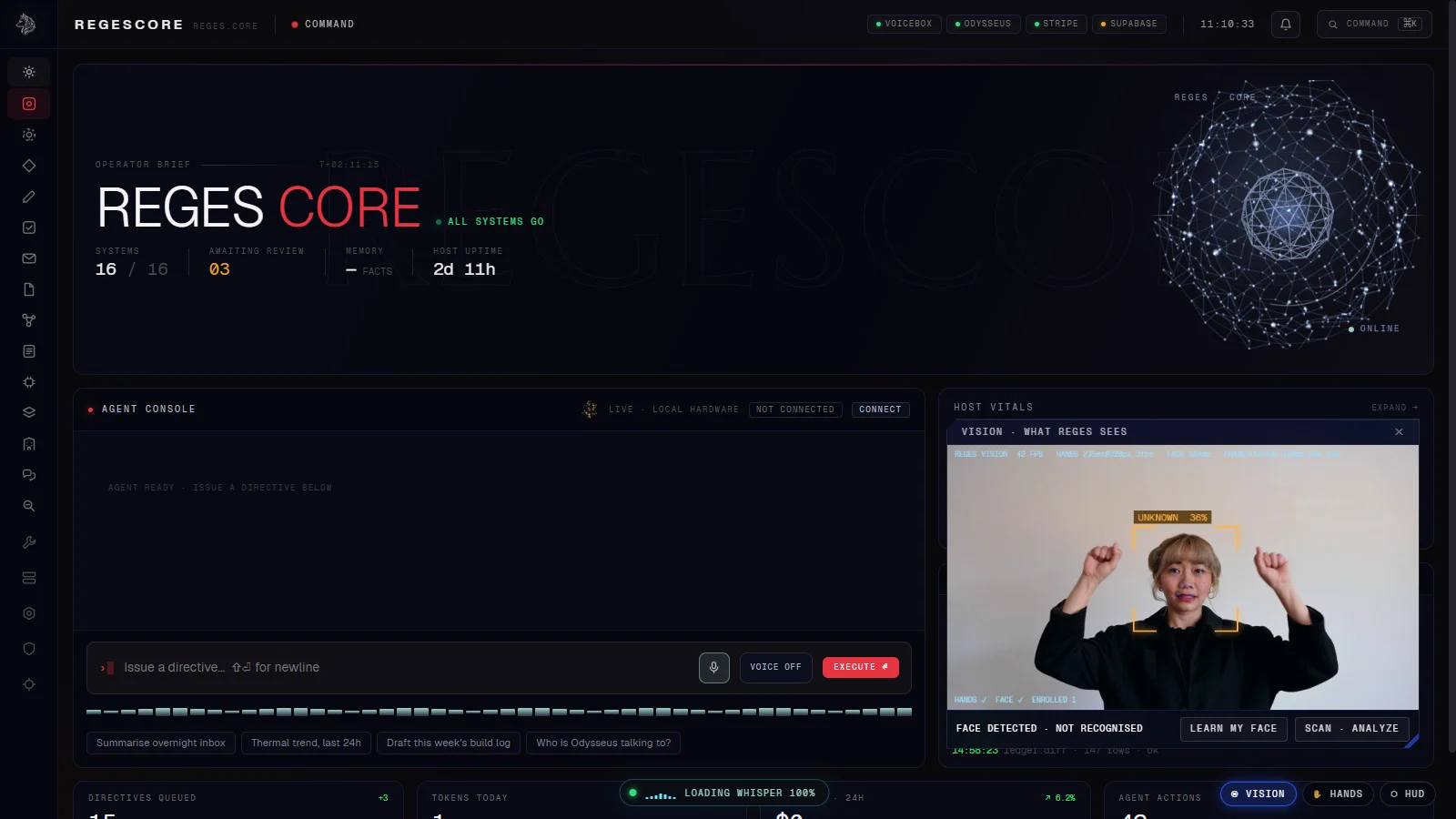
Reges sees you, follows your hands and answers your voice, then does the work on your own computer. Nothing you say or show it leaves the machine.

01Vision

It sees you.

Face recognition that knows its owner. Object detection that can tell a glass from a phone. A lockdown that only your face or your master password can lift.

02Hands

It follows your hands.

Pinch to grab a window and pull it across the screen. Spread two hands to resize it. Twenty-one joints per hand, tracked on your own CPU.

03Voice + agent

It talks back. Then does the work.

Always-listening voice, 316 tools and a skills library that grows every day. It drafts, researches, triages and builds, and asks before anything it can't undo.

04Private by design

Nothing leaves your PC.

Local models on your own hardware: no cloud account, no data trail. Reges Desktop for you. Reges for Business, installed on-prem for your team.

info@likeakinginc.com · github.com/iboss21
05What Reges does

Eyes, hands, a voice — and a job to do.

A chatbot answers. Reges acts. It sees you, follows your hands, listens for its name, then gets real work done on your computer.

  • Vision

    It knows you, and what you are holding.

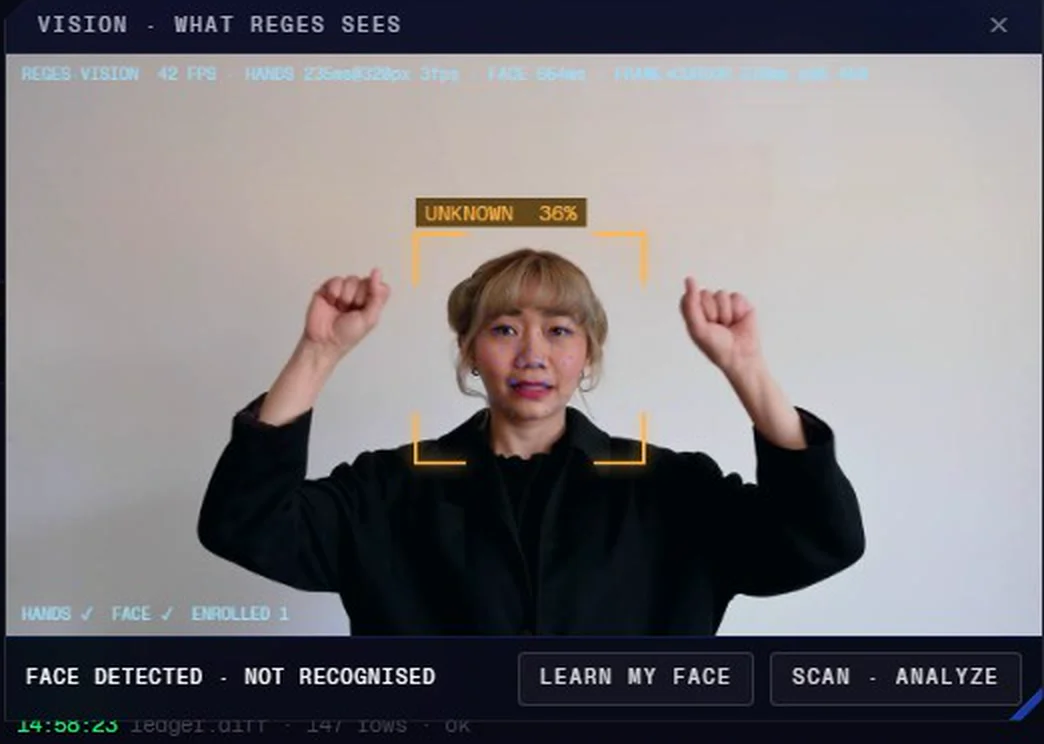
    Owner face recognition greets you by name. Hold something up and ask “what do you see?”: a local vision model describes the frame, text on screen included.

    Reges vision marking a face it has not met as UNKNOWN, with live tracking telemetry
  • Hands

    Your desk becomes the interface.

    Pinch to grab a window, spread two hands to resize it, fling it away to close. Two hands, 21 joints each, from a plain webcam.

  • Voice

    Say “Reges”. It listens.

    Wake word, speech-to-text and a natural voice, all running locally. Talk over it and it stops to listen.

  • Agent316

    316 tools. It does the work.

    Opens files, drafts email, researches, plans tasks, searches your documents, then tells you out loud that it is done.

  • Skills~150

    A library of about 150 skills.

    Step-by-step playbooks from inbox zero to a deploy check, and 36 personas that change how it talks and works.

  • Connectors

    27 connectors to the services you already use.

    • Local models
    • Hugging Face Hub
    • ComfyUI
    • Mind
    • OpenRouter
    • Providers
    • Engineer
    • Desk
    • Meta
    • Discord
    • Tebex
    • GitHub
    • Vercel
    • Coolify
    • Hostinger
    • Deploy verify
    • Release gate
    • Cfx server
    • Cfx natives
    • Documents
    • Knowledge
    • Everyday
    • Life admin
    • Money info
    • Weather
    • Customer help
    • Home Assistant
  • Memory

    It learns every day, on your disk.

    After each conversation Reges keeps the facts worth remembering, merges duplicates, and tidies them every night. Passwords and keys are scrubbed before anything is stored.

  • Lockdown

    One word locks it down.

    Say “lockdown” and Reges takes no actions until it sees your face or you type the master password.

  • Private

    100% local models. Private by default.

    By default its server answers only to your own machine. Anything that leaves it (email, posts, payments, deploys) waits for your yes.

    The Reges command center with the live vision window detecting a face
06How it works

Runs on your hardware. Nothing leaves.

Everything Reges sees, hears and thinks happens on the computer in front of you. There is no Reges cloud to send your camera, microphone or files to.

  1. 01

    Install Reges and a local model

    Reges plus a free model in LM Studio, Ollama or any OpenAI-compatible server. About 15 minutes, most of it the model download.

  2. 02

    Say “Reges, remember me.”

    It learns your face in a few seconds and sets itself up the way you like to work.

  3. 03

    Talk, point, pinch.

    That is the whole manual. Ask out loud, grab panels with your hands, hold things up to the camera.

Your PC

  • Webcamface + objects
  • Microphonespeech-to-text
  • Voicetext-to-speech
  • Agent316 tools + skills
  • Memoryon your disk

Local model server

LM Studio · Ollama · llama.cpp · any OpenAI-compatible endpoint

GPU · your VRAM

Internetonly to download Reges and models, for updates, web research you ask for, and the connectors you choose.
07Two ways to run it

On your desk. Or in your office.

For you

Reges Desktop

The full assistant on your own Windows PC. Free to start, local models, your data on your disk.

  • Face, hands, voice and vision
  • The agent, skills and connectors
  • Runs offline once installed
For your team

Reges for Business

A private AI front desk that answers your calls, books appointments and takes messages, on a machine you own. Installed and supported by us.

  • Every call answered, and it always says it is an AI
  • Bookings, messages and leads logged to your contacts
  • Email drafts and document search for your staff
08Pricing

Start free. Own it on your machine.

No per-message bills. Reges Desktop starts free, with a Founder Lifetime licence at launch; Reges for Business starts at $299 a month per location.

Launch pricing, subject to change

Free$0

Reges Free: the core assistant with free cloud or local models.

09FAQ

Questions, answered straight.

Something else? Send us a message.

Where does my data go?

Nowhere. Camera frames, audio, files and conversations are processed on your own computer. There is no Reges cloud to send them to. The only things that reach the internet are the ones you ask for: web research, updates and the connectors you choose to set up.

Does it need the internet?

Only to download Reges and its AI models. After that the core (seeing, listening, speaking, thinking) runs offline. Web research and online connectors need a connection when you use them.

Is it just another chatbot?

No. A chatbot answers. Reges acts: it opens folders, writes files, drafts email, plans your tasks, researches the web and remembers what matters to you, using 316 tools and a skills library of about 150 skills.

Which AI models can I use?

Any model you run locally in LM Studio, Ollama, llama.cpp or another OpenAI-compatible server. If you ever want a cloud model for a particular job you can point Reges at one, but local is the default.

What computer do I need?

Windows 10 or 11, a modern 8-core CPU, 32 GB of RAM and a graphics card with 12 GB of video memory, plus a webcam and a microphone. Smaller machines can run smaller models, with simpler answers.

Can it do something I did not ask for?

Anything that leaves the machine or cannot be undone (sending email, posting, paying, deleting, deploying) waits for your explicit yes. The agent is told never to work around that step, and the server refuses those actions without it.

What is lockdown mode?

One command locks Reges down. Until it has verified the owner’s face through the webcam, or the master password is entered, it takes no further actions.

Is Reges for Business HIPAA or GDPR certified?

We do not claim certifications we have not been audited for. What we can say plainly: Reges runs on your hardware and your data does not leave your network. Your compliance team can review exactly how it is installed.

What if it is not for me?

Reges Desktop comes with a full refund within 14 days of purchase. Just write to us.

Pushing local AI forward

Back Reges, and keep AI on your own machine.

Sponsor development directly today. Crowdfunding launches soon, join early access to hear first.

Private AI · runs on your PC

Your AI. On your machine.

Be first to run Reges on your own hardware, or tell us about your office and we will show you a demo on a sample matter.